AI-assisted onboarding
Get guidance through shop setup, with a setup checklist and tours to support the team.
 Stone DriveLog in ↗Try Stone Drive
Estimates, stone, crews and customer conversations. Give your office and fabrication floor one place to move the work forward—with AI-assisted onboarding and an in-app assistant that knows Stone Drive.
90 days free · $275/month after your trial
Look closer at the handoffs, checks and everyday tools built around real fabrication work.
Get AI-assisted onboarding, page-aware help and step-by-step guidance inside Stone Drive.
Link or embed available slabs and remnants without exposing cost, prices, vendors or storage details.
Reserve stone, share a slab across jobs and save usable remnants—including L-shaped leftovers.
Customer sign-off issues, return visits and office-collection handoffs stay visible to the people responsible.
See whether an estimate was opened and record Talked to them, No answer, Later or Lost it.
Use customer-class pricing, package caps and change-order approval rules rather than untracked price edits.
Fabrication orders omit pricing. Install orders and collection slips give crews the field information they need.
Review production and installation cost, overhead, supplies, recuts, callbacks and job profitability.
Give customers a link to your public stock page, or embed it in your website. Show available slabs grouped by color and available remnants.
Optional shop setting. Public inventory updates are described in the app as taking about a minute.
See website connection details ↗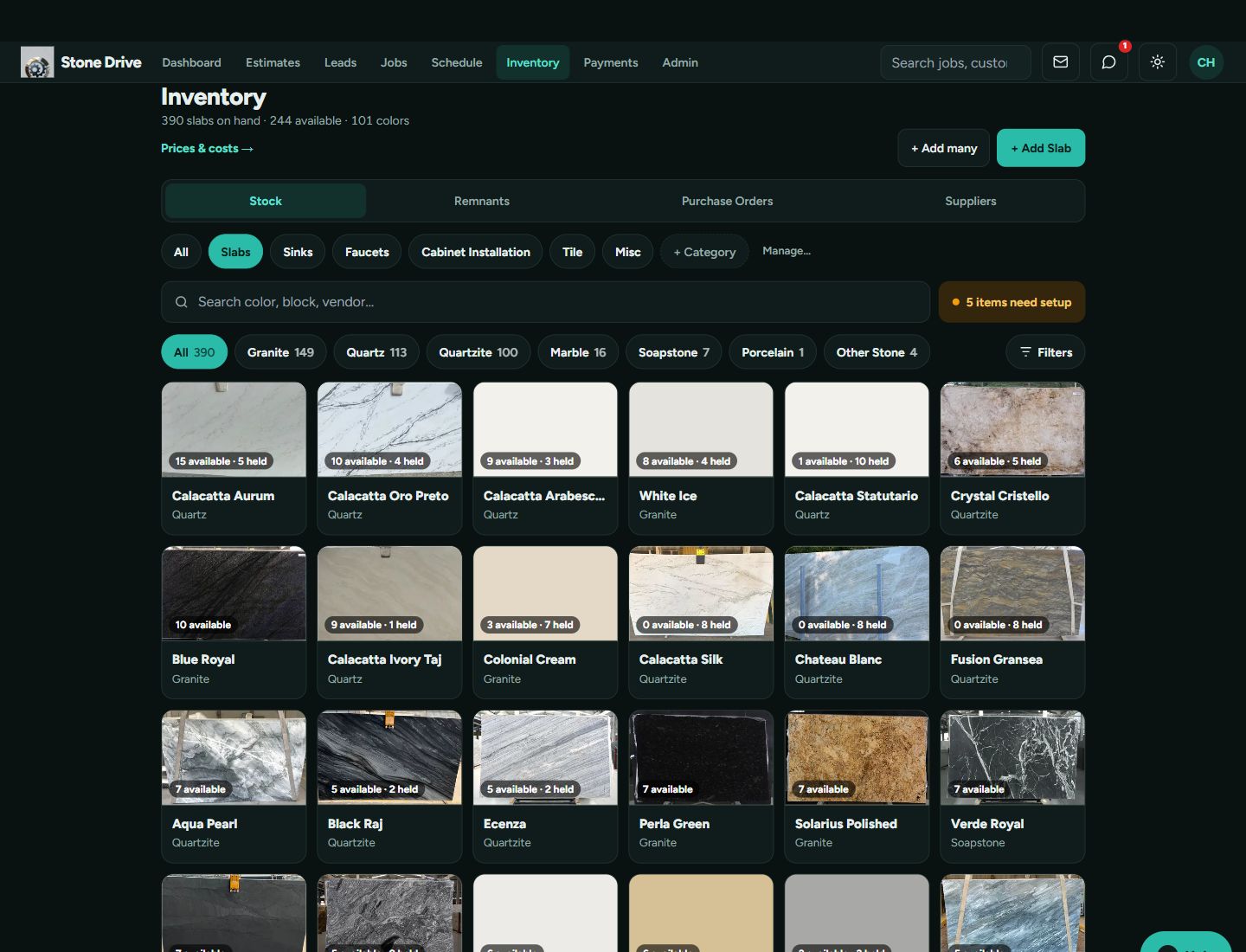
Live internal inventory shown. The public stock page hides the internal information listed above.
AI-assisted onboarding helps your shop get started. The in-app assistant knows Stone Drive and stays available as your team learns the work.
Explore onboarding and AI assistance ↗Get guidance through shop setup, with a setup checklist and tours to support the team.
Ask how to use Stone Drive or what you can do on the current page. Proposed changes are presented for your approval.
Find step-by-step guidance through Help and a dashboard briefing for work that needs attention.
Keep the details with the work, from the drawing in the office to the checklist on the crew’s phone.
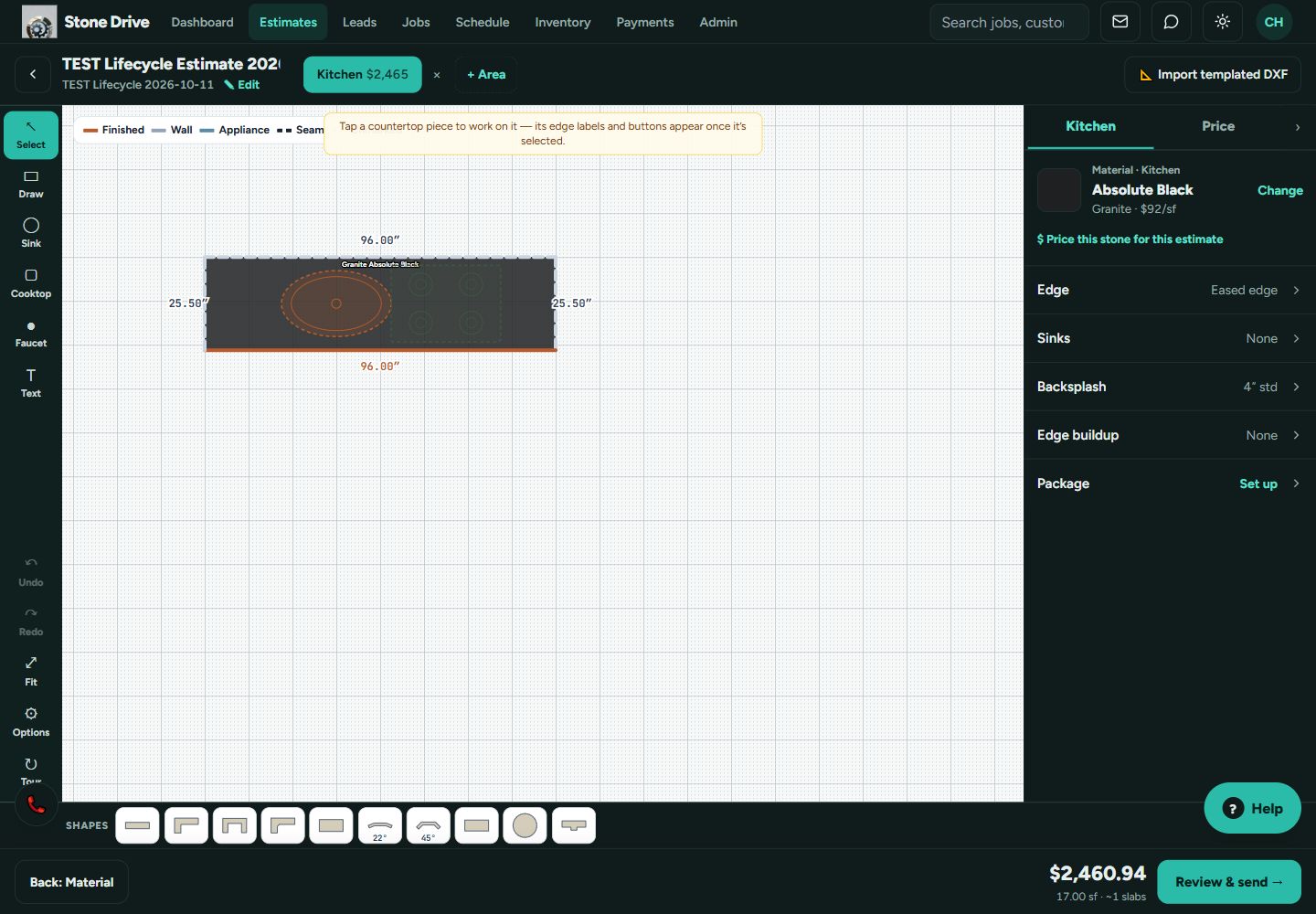
Draw countertops, choose materials, specify edges and cutouts, and prepare the estimate for customer approval. Include cabinets, tile and accessories when your shop offers them.
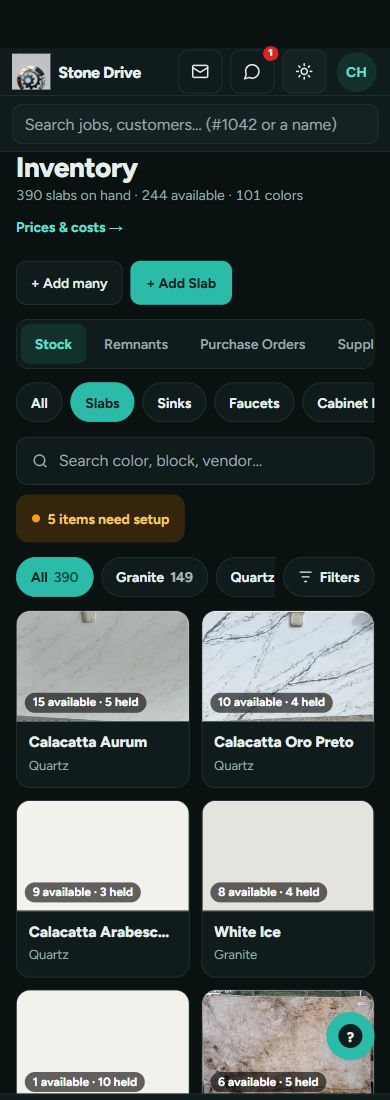
Track slabs and remnants, reserve material for jobs, and work with slab layouts. Keep suppliers and purchase orders alongside inventory.
Move through your shop’s workflow with role-based views, required checklists, drawings, files and notes attached to the job.
Schedule visits and installs. Give crews access to job information, installation photos, customer sign-offs and return-visit tracking.
Follow the complete job through your office, fabrication floor and install crew. Each stage keeps its required checks and job information together.
Example sequence, including programming where your shop uses that step. Shops can configure their workflow and checklists. Fab Only is a separate job type that omits template and installation.
Explore fresh PC and mobile screenshots in dark and light mode. Workflow screens use demonstration records. Inventory and social-post screenshots come from Affordable Quality Marble and Granite’s live shop.
Bring incoming requests into the same system your shop uses to estimate and run jobs. Keep ownership clear, and give unanswered leads a backup plan.
New contacts from your connected GoHighLevel sub-account—website forms, Facebook ads and missed-call workflows—flow into Stone Drive as customer records. A five-minute backup check helps catch contacts if the immediate connection misses one.
The assigned GoHighLevel salesperson receives the first phone alert. If nobody is assigned, it goes to the Sales role. If the shop has no Sales users, admins receive it.
The alert opens the customer with “Got it” and “I called them” actions. The lead list separates Waiting, Mine and Answered, so the team can see what needs attention.
When enabled, unanswered leads trigger another alert to sales after 15 open-hours minutes. At 60 open-hours minutes, owners and admins outside Sales get a “Still no answer” alert. A tap on “Got it” or “I called them” stops the backups for everyone.
New leadAssigned salesperson → Sales → Admins
15 open minutesSales gets a backup alert
60 open minutesEscalate to owners / admins outside Sales
Backup timers use your shop’s hours and time zone. Closed-hours minutes don’t count toward escalation.
Contractor and builder requests are identified as existing-customer inquiries. The request isn’t automatically attached to an old job.
Linked customer records can show GoHighLevel communications alongside job notes and logged calls. Channel availability depends on your connected account and setup.
Requires a connected GoHighLevel sub-account and phone notification setup. Backup escalation is optional and must be enabled.
See the lead-system screen ↑Connect your shop workflow with GoHighLevel and turn completed work into your next marketing opportunity.
Bring lead management into the shop’s daily workflow, with lead alerts and customer communication tools.
When enabled, completed installs generate draft posts from installation photos. AI writes the caption. Your approver reviews it before anything publishes.
Set a brand voice and connect social pages through GoHighLevel Social Planner. Choose the pages for each brand and review posts in Stone Drive.
Requires a connected GoHighLevel account and social pages. Setup is required.
Your crew’s installation photos
AI follows your brand voice
Your connected social pages
How the workflow works · not a live publishing action
This is Affordable Quality Marble and Granite’s live Stone Drive post screen—not an empty demo.
See the selected installation photo, the caption written from the job, and the Google, Facebook and Instagram pages selected for the post. The app marks this example as Posted and confirms it was sent to GoHighLevel.
The internal customer and job heading is cropped out of these screenshots.
Explore PC, mobile, dark and light views ↑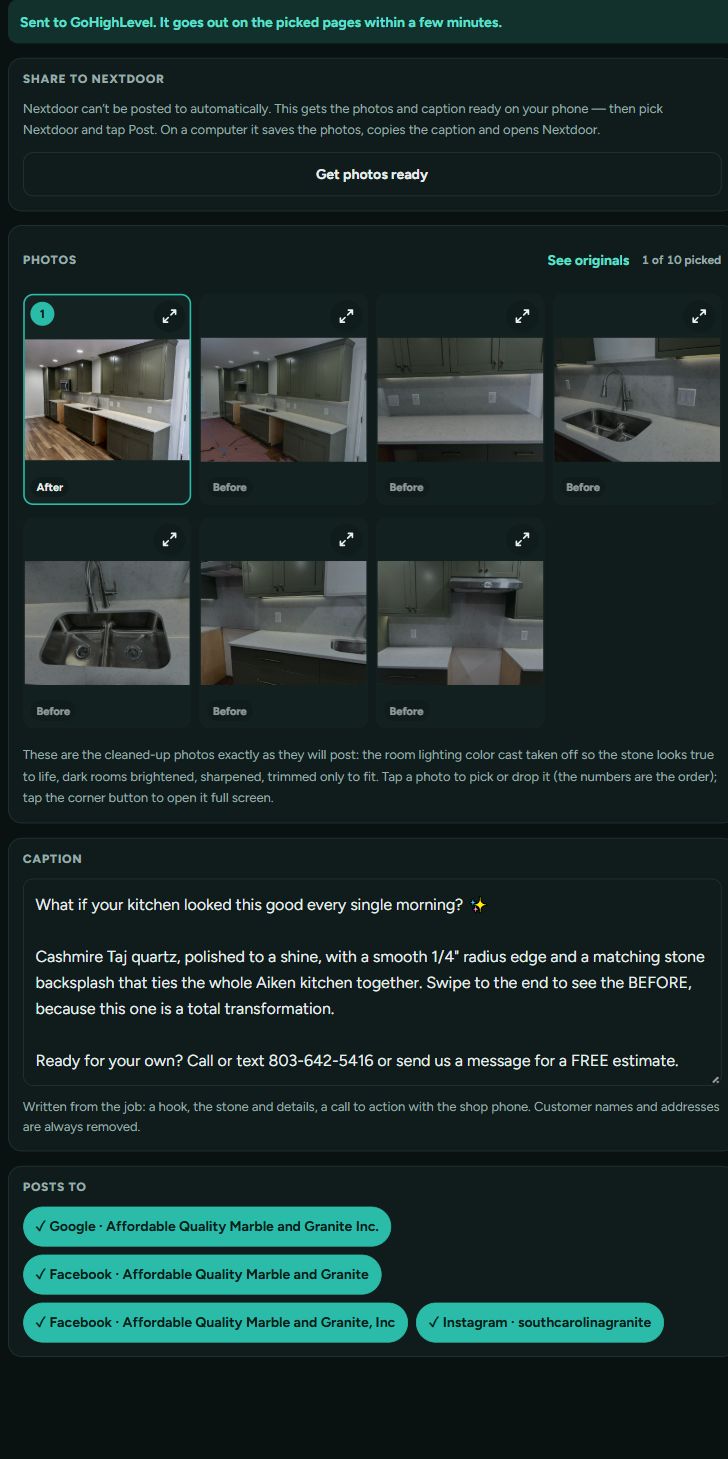
Review profitability, receivables, cash flow, labor, recuts and where customers come from.
Manage roles, crews, visits, time-clock hours and timesheets.
Keep estimates, contracts, fabrication orders, invoices and customer sign-offs with the work.
Enable a public stock page for slabs and remnants without publishing prices.
Start with 90 days free. Explore the workflow with your team before moving to a monthly subscription.
We’re launching the trial while subscription billing is being finalized. Online payment collection and QuickBooks integration are not part of this soft launch.
Trial setup opens in Stone Drive. No payment is collected on this website. *Connected services require setup.
Looking for a specific tool? Browse every feature area ↗
The redesigned interface supports PC and mobile screens. Use the screenshots above to see the current layouts for estimating, inventory and job work.
No. When the feature is enabled and connected, it creates drafts from completed installs. An authorized approver must approve the post before publication.
The planned subscription is $275 per month after the free trial. Subscription billing is being finalized for launch; this website does not take payment or authorize charges.
Online payment collection and QuickBooks integration are excluded from this soft launch. They are not advertised as available features here.